Sunday, 22 May 2011

Plants!

I had been unhappy with my origonal Fern mesh, It was basicly just a plane that was blend and rotated around. really made quickly so that i could test out the texturing method. So what i've done is gone back and remodeled the mesh. I've created more curves along the width of the leafs, brought them all close together and added another layer of leafs to make it more believeable, Below you can see the origonal to the right and my new mesh to the left.


Feeling i need more foliage i modeled one of these, I say these becuase i have no idea what it is.. I knew what leaf i was looking for but i don't or couldn't find out what it was called! But in any case i'm quite happy with how it came out. Its production took very little time compared to prevois foliage which i put down to experiance i guess.


Here's a demanstration of some of the foliege i've made put together so i can visualise what i've been imagining and ofcourse post that here.

Friday, 20 May 2011

Fixed foliage texture problem

instead of the materials set up on the foliage as transparent with an opasity mask i swaped it to a masked with the mask. This got rid of the weird effect that i was getting where parts of the textures would become seethrough.. A dumb mistake but we live and learn :)

Built this 'grass' with the intention of making it grass but they turned out too thick for grass so i'll have to make smaller versions for grass but i will still use these since they can definatly pass as some type of ground plant or weed

Thursday, 19 May 2011

new direction

Been working on more scene objects, i need to focus adding more foliage now to make the scene feel more natural and less open spaced.


The origonal backend to the scene was a 'floating garden' like design from an aztec ruin reference i had. Since the scene has turned more and more into a roman/ greek ancient ruin i decided to change it into large open stair area with a ruined temple on the top

Wednesday, 18 May 2011

Custom sky

I thought it was about time i create a sky which would fit my scene better, So i collected one which is clear blue sky and incresed its brightness so it looks like a hot mediterrainein sky.

There are afew different skybox meshes already in udk which each take different types of textures. One of them takes textures like mine above, how i made my sky like this is using a filter inside photoshop called polar cords which wraps the top on the canvas to the middle. Once i imported the texture into udk i had a 'blond' moment as i forgot to make it a material! and after that i worked out how you can make a texture self illuminate which the skybox needs.


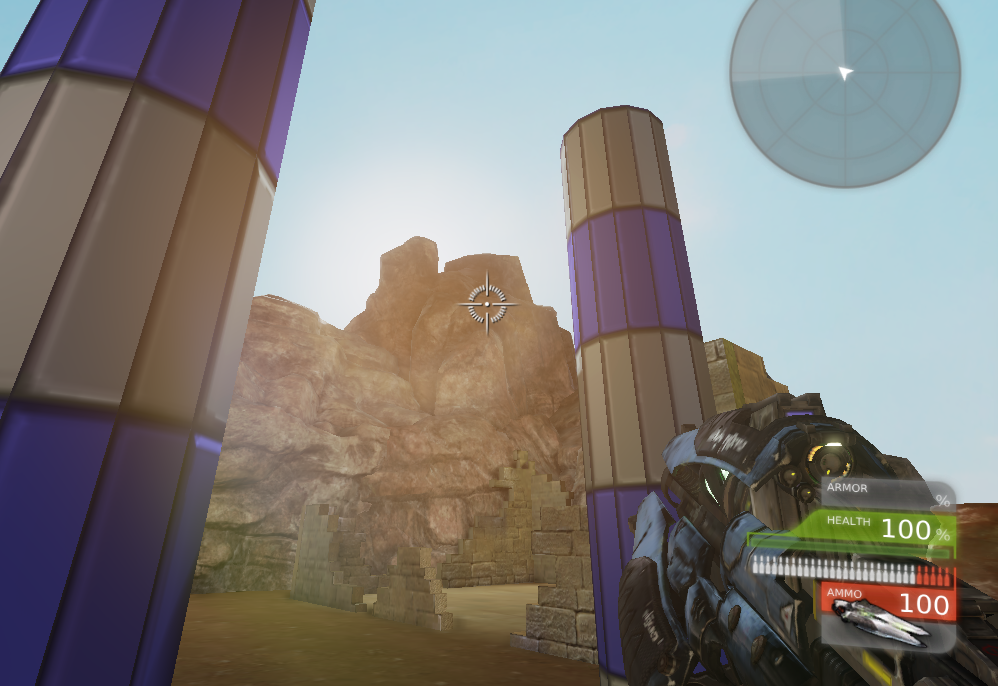
Here you can see the sky ingame, it really changes how the scene feels. it feels much hotter than it did before, it almost feels alive or fresh with colour.


Whilst i was doing the skybox i also thought i would add the sun so i would not forget. Its important to match the sun up to the skybox or else the skybox's lighting wouldn't look right at all.

Tuesday, 17 May 2011

How to add assets

Since i have been adding alot of my own content into udk i thought i'd take time to explain how i do this.

First of all you need to have saved your model as an .FBX and made sure that all your textures comform to the sizes udk comforms to. 512x512 1024x1024 2048x2048 ... and so on, You can mix them together so for example if i had a narrow texture i could do a 512x1024.
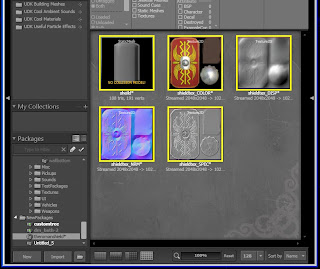


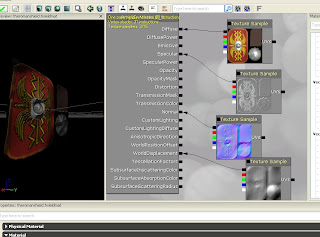
Once you have them in udk you need to right click in the content broser and "add new material", the textures you've imported need to be made into a material which can be added to a model. Double clicking on the newly created material opens it material editor. Once your inside this you need to drag all your textures in and link them up to there apporpriate sections, IE the normal map is linked to Normal. Once you've done you need to click the green tick in the top left which compiles the material.

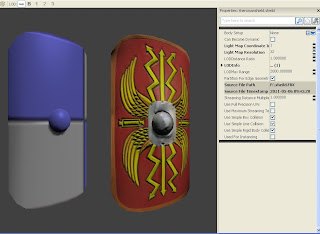
Next you need to double click on your .FBX model and once inside the mesh editor you expand the LODinfo until your down to the material slot. Then while selecting the materail in the content broser you click the magifing glass in the mesh editor. here you can see the before and after of the material appliance.
Thursday, 5 May 2011

UDK speedtree test


Managed to get a test of the tree inside UDK, Had a few problems with the textures inside udk so i ended up reading up on UDK.com, did a simple test with some of the foliage thats already in udk so that i could see if it fits in ok (Not started on my own foliage just yet). The colours don't really go together at this point. The grass is way to bright and the tree is too strong. Need to aim for the udk's foliage as its much more natural. More tests to come!

Sunday, 1 May 2011

Trees!

Been experimenting with speedtree for awhile now but i've only just started to work with it for this project. Had some problems with alpha maps on the leaves but i've worked that out now all i need to do is save them out as png's. Speedtree is great becuase it allows people to make random natural looking foliage for video games, Modeling 10 different variations of a tree would take days if not weeks done by hand but this tool speedtree (which has a free licenced version with udk) makes this possible in moments. I'm not quite happy with my textures yet i think there colours are off - but perhaps thats just becuase of the lighting in speedtree.. Will have to experiment after i compile some of these and actually put them in udk.